

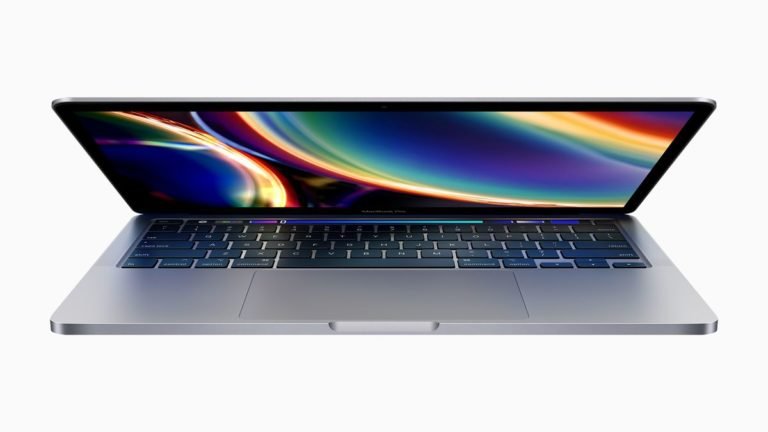
It’s been a while since I let go of my windows laptop and officially started using the MacBook. I am going to explain how it all worked out and what all thought process it took to make me this decision.
I have been a Microsoft fan and have been using more than 15 products from Windows 98 to all Desktop OS and servers, from Sharepoint to office 365, from Microsoft Dynamic CRM to tool for communications.
Having been a windows user for almost more than 20 years now I just thought of giving it a try to buy a Macbook rather than any windows laptop after my old laptop died one day.
Although I still use windows for work but for blogging and personal stuff wanted to try a MacBook or basically IOS device.
Here is what like and where I have struggles,
- Typing on the MacBook Pro is a new experience and its super fun. I feel like never stop typing.
- performance is far better than any windows laptop
- it only has 8 GB RAM and never runs out on resources even though I am using quite resources hungry applications side by side such as Lightroom for photo editing and visual studio for coding.
- I never have to shut down or hibernate, this process is so flawless that at any point I just close the screen and that’s it, I open the screen touch my finger on the sensor and it starts in the same second right from where I had left it.
- the startup process is very fast as compared to windows. I never had to wait for the laptop to get ready before I start working unlike windows, it is pretty instantaneous.
- Typing is very easy as the Touch Bar gives predictions and you just keep touching to pick the words.
This is where I struggle
- initially, I had. almost zero visibility into what’s going on inside the OS, like process and resource usage and where. to save files and where to go to quickly retrieve.
- access to disk drives unlike in windows go to my computer and you see your disk partition and nice and clear files and folders structure.
- access to task manager was hard to find and you would need to out you had down to find what you need.
- taking screenshots, until I memorized the shortcuts taking screenshots was a nightmare.
- totally dependent on spotlight search for anything I needed, thankfully that was the first shortcut I had to memorize first as there was no way to go without it.
- still not so good with the file system and struggle to small things such as how to clear temp cache and delete garbage data.
- command prompt has been an entirely different experience, so far I try to stay away from the command line on MacBook Pro.
Above mentioned are some of the areas where I am still learning but overall its a machine I fell in love with just like kids. its sleek and best designed lightweight laptop ever that you love to carry where ever you go.